Plesk billing: sell Plesk hosting from your own shop
Customers order web hosting in your shop and pay. NexoVirt creates the Plesk subscription with the right service plan, suspends it when unpaid and removes it at the end. One button signs them in to Plesk.
No card needed for the trial. Flat price by node, never by client or subscription.
How selling Plesk hosting works
Three steps from the Order button to a running webspace. Nobody opens Plesk by hand.
-
The customer orders
They pick a hosting product, enter their domain and pay with Stripe, PayPal or their balance.
-
NexoVirt creates the subscription
A Plesk customer and a subscription with the product's service plan, through the Plesk API.
-
One click into Plesk
The portal shows the webspace with an "Open in Plesk" button that signs the customer in.
The Plesk subscription follows the billing
Renewals, unpaid invoices and plan changes reach Plesk on their own.

Unpaid: suspended
At the paid date an unpaid subscription is suspended in Plesk. The customer gets an email.
Paid again: resumed
As soon as the renewal is paid, the subscription is active again in Plesk.
Plan change
A move to another product switches the subscription to that service plan and charges only the days left.
Cancelled: removed at the end
Customers cancel online. The webspace runs until its paid date and is removed after the grace days.
Retries and alerts
When Plesk does not answer, NexoVirt retries with growing pauses and alerts you after repeated failures.

Your Plesk service plans become shop products
NexoVirt reads the service plans of your Plesk server. Each hosting product uses one of them and gets its own prices.
- Billing periods of 1, 3, 6 or 12 months, each with its own price
- Setup fees on the first order and coupons
- The customer enters the domain on the order page
- Add a webspace straight from the panel, without an order
-
Flat price
Priced by node, never by client or by subscription.
-
Invoices with EU VAT
A numbered PDF per payment with domestic VAT, OSS rates or reverse charge.
-
Stripe and PayPal
Subscription or prepaid balance per product. No card data in your panel.
Connect Plesk in three steps
-
1
Add the server
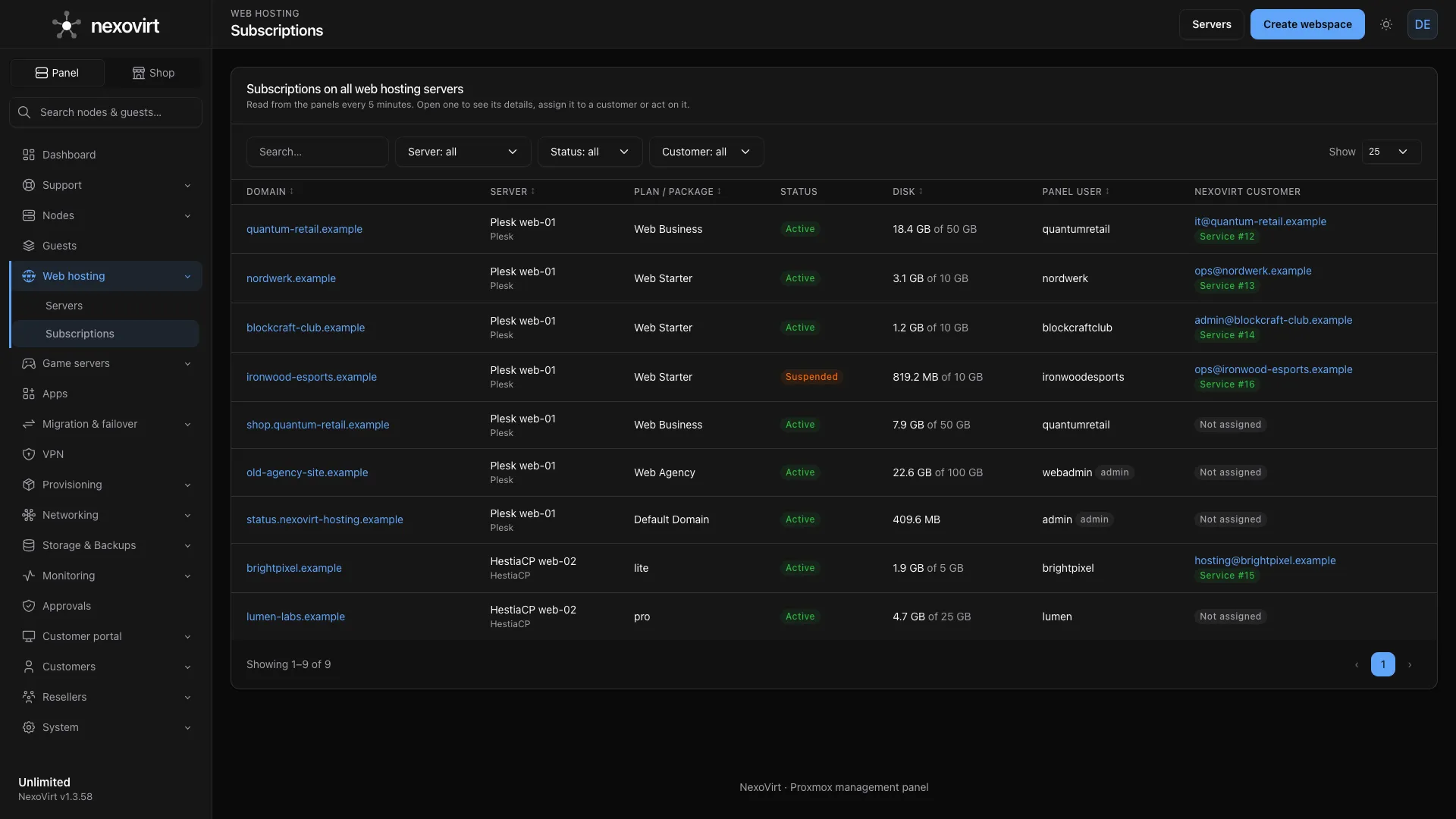
Web hosting, Servers: enter the Plesk address and an API key. NexoVirt tests the connection and reads the service plans.
-
2
Create a product
Pick the Plesk server and a service plan on the product's Provisioning tab, then set prices and billing periods.
-
3
Show it in the shop
Customers order in your portal or on your website with the WordPress plugin.
Plesk reseller billing, without a second system
On the Unlimited plan your resellers sell Plesk hosting on your Plesk servers. They set their own prices, and their customers order in a portal with the reseller's brand.
- Each reseller has an own shop and quotas you set
- Their customers pay from a prepaid balance
- The webspace is created on your Plesk server like any other
Self-signed Plesk certificate? Pin its fingerprint when you add the server, and the connection stays verified.
Hosters already run on NexoVirt
Hosters such as Norway-vps run their hosting business on NexoVirt.
- Panels online in the last 14 days
- 55+
- Proxmox nodes managed
- 75+
- VMs and containers managed
- 690+
- releases since June 2026
- 146
Only need the panel for your own servers? The Community Edition is free on 2 nodes, without the shop: Install free.
Plesk billing FAQ
What is Plesk billing?
It is the part that sells Plesk hosting: products with prices, checkout, payment, creating the subscription in Plesk, renewals, suspending unpaid subscriptions and removing them at the end. Plesk itself only runs the webspaces. NexoVirt adds the shop and billing and drives Plesk through its API.
How does NexoVirt create the Plesk subscription?
The customer enters the domain on the order page. After the payment NexoVirt creates a Plesk customer on the first order and one subscription per service with the service plan you picked for the product.
Can customers sign in to Plesk from the portal?
Yes. The service page in the customer portal has an "Open in Plesk" button that signs the customer in to their Plesk account without a second password.
What happens when a customer does not pay?
The subscription is suspended in Plesk at the paid date and active again as soon as the renewal is paid. After the grace days of the product it is removed, unless the customer paid in the meantime.
Can I offer Plesk reseller billing?
Yes, on the Unlimited plan. Resellers sell Plesk hosting on your Plesk servers with their own prices and brand, and their customers order from a prepaid balance in the reseller's portal.
My Plesk server uses a self-signed certificate. Does that work?
Yes. If Plesk answers with a certificate that does not verify, the connection test shows its fingerprint. Pin that fingerprint and NexoVirt checks every later connection against it, no public certificate needed.
Which NexoVirt plan do I need?
Provisioning modules are part of the shop, which comes with the Business and Unlimited plans. Both are flat monthly prices by node, never a fee per client or subscription.
Related pages
- HestiaCP billing Sell web hosting on HestiaCP servers.
- Hosting billing software One panel bills VPS, web hosting and game servers.
- WHMCS alternative Billing and panel in one install.
- WordPress hosting shop Your plans and prices on your WordPress site.
- Pricing Flat prices by node, never by client.
- Cloud-init on Proxmox Ready-to-use VPS on the first boot.

Start selling Plesk hosting
Connect your Plesk server and take the first order within the 14-day Business trial. No card needed.